Why we fit one on almost every build
A factory oil light only tells you the engine has almost no pressure left, which is usually too late. A proper pressure sensor gives the Elite a live number it can log, show on a gauge and compare against a limit you choose. That lets the ECU tell the difference between normal low pressure at a hot idle and a real problem at 6000 RPM under load.
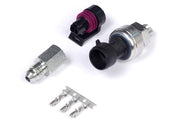
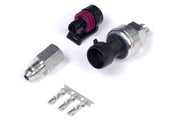
The sensor is a powered, three-wire part: 5 V supply, ground and a signal back to the ECU. Haltech's 150 psi TI sensor suits most engines, with the 250 psi version for high-pressure systems and the motorsport 150 psi sensor for race cars. If you only have a factory on/off switch, see the Oil Pressure Switch function instead.
Wiring and input setup
In ESP, the function has four tabs: Wiring, Calibration, Display and Diagnostics. Start on Wiring and pick the input.
| Input type | When to use it | Pull-up setting |
|---|---|---|
| AVI (analog voltage input) | First choice, always, if one is free | Enabling it adds a 1k resistor to 5 V. Leave it off for a powered three-wire sensor |
| SPI (synchronised pulsed input) | Only when you have run out of AVIs | Set Sensor Type to Hall Effect. The optional pull-up here is a weaker 10k to 5 V, which should also be off for this sensor |
The pull-up rule is simple. Two-wire temperature sensors need one. Sensors with their own 5 V supply, like this one, do not. And if the sensor is shared with another ECU, for example a piggyback setup with the factory computer, the other ECU is almost certainly supplying the pull-up already, so turn it off on the Haltech side.
Calibration
ESP ships with a set of ready-made calibrations, and the default is Haltech's 150 psi sensor. Use the yellow folder icon to load a calibration file and the blue disk icon to save one. If your sensor is not in the list, build a custom calibration from the voltage-to-pressure data the sensor maker publishes, then save it so you can reuse it on the next car.
With the engine off, the sensor should read close to zero. If it shows a few psi with no oil pressure, you have the wrong calibration loaded or a ground problem.
Display warnings
The Display tab has a Warning Minimum and a Warning Maximum. When pressure goes under the minimum or over the maximum, oil pressure gauges and readouts in ESP flash red. These only affect what you see on the laptop. They do not protect the engine by themselves.
Diagnostics and engine protection
This is where the sensor earns its keep. Each check can raise a trouble code, and if the Engine Protection function is on, each one can also trigger a protection level.
| Check | DTC | What it catches | Our advice |
|---|---|---|---|
| Raw Min | P0522 | Signal voltage below your limit: a shorted or broken wire | Enable it. Set it just below the lowest voltage the sensor produces |
| Raw Max | P0523 | Signal voltage above your limit: an open or shorted circuit | Enable it. Set it just above the highest normal voltage |
| Operating | P0521 | Real low oil pressure while the engine is working hard | Enable it once you have logged normal pressure across the rev range |
All three are off by default.
How the Operating check decides
The Operating check only fires when every one of its conditions is true at once. That is what stops it from tripping at a hot idle:
- Oil pressure is under the Minimum Value, or under the Oil Pressure Minimum table if you use it.
- Engine speed is above Minimum RPM.
- If you set a Precondition of MAP, TPS or Both, load must also be above Minimum MAP and/or Minimum TPS.
Then choose the DTC Severity. None just logs the code. Levels 1, 2 and 3 map to the protection actions you have set in Engine Protection, and they are only available once that function is enabled.
The Oil Pressure Minimum table
You will find it in the ECU Navigator under Oil System. A single fixed limit is rarely right, because healthy oil pressure climbs with RPM and falls as the oil heats up. This table lets you draw the safe limit as a curve, usually against RPM and sometimes against oil temperature as well, so the ECU expects more pressure at 7000 RPM than at 2000.
A worked example
Say you log a healthy engine on a hot day and note the oil pressure at each RPM point, from idle to redline. You might set the minimum table comfortably below that logged curve across the rev range, set Minimum RPM above idle, and use a TPS precondition so the check only runs under real throttle. If pressure then drops away mid-corner at high RPM, the ECU flags P0521 and your chosen protection level steps in. Your own numbers should come from your own logs and your engine builder's advice.
Troubleshooting
| Symptom | Usually |
|---|---|
| Reading is offset or pinned at max | Pull-up enabled on a powered sensor, wrong calibration, or an unplugged sensor |
| P0522 or P0523 at key-on | Wiring fault, unplugged sensor or raw limits set too tight |
| P0521 at hot idle | Minimum RPM set too low, or no load precondition |
| Never trips, even when pressure is low | Operating check disabled or Severity set to None |
FAQ
Can the sensor share an input with the factory ECU?
Yes, but turn the Haltech pull-up off, since the factory ECU is almost certainly providing one.
Where can I learn more about oil protection strategy?
Read our oil pressure and engine protection guide, and consider adding an oil temperature sensor so the minimum table can account for hot oil.