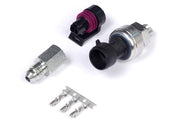
What an oil pressure switch does
A pressure switch is a yes-or-no device. With the engine off it reads no pressure. Once the engine is running and the pump has built pressure, the switch changes state and the warning goes out. If pressure falls away, it flips back and the warning comes on. Its strength is speed: it tells you right away that something is badly wrong, before bearings are damaged.
What it can't do is tell you how much pressure you have. For that you need a real sensor, such as the 150 PSI TI pressure sensor, which lets the ECU compare pressure to RPM. See oil pressure sensor and engine protection for that approach. Plenty of builds use both.
Options: where the signal comes from and goes
- Input mode: a physical switch wired to an ECU input, or the state read from the vehicle CAN bus.
- Output enable: drive a warning with a physical output, or send the state out over vehicle CAN.
Wiring it to an SPI or an AVI
The switch can go to either kind of input, and each needs different setup.
SPI (Synchronised Pulsed Input)
| Setting | What it does | Our advice |
|---|---|---|
| Edge Select | Which transition counts as the switch activating | Falling if the switch grounds the input when active. Rising if it applies voltage |
| Sensor Type | Signal type | Hall Effect, for any switch input |
| Pullup | Supplies a voltage so the input isn't floating when the switch is open | On for a switch that only grounds the input |
AVI (Analog Voltage Input)
On an analog input you tell the ECU which voltage means ON and which means OFF. The two values should be well apart, with the gap in between treated as "no change." That gap stops electrical noise or a sagging supply from making the state flicker.
Two worked examples:
| Switch behavior | Switch On Voltage | Switch Off Voltage | Result |
|---|---|---|---|
| Sits at 5V, pulled to 0V when active | 0.5V | 4.5V | ON once it drops under 0.5V, OFF again only above 4.5V |
| Sits at 2.5V, jumps to 12V when active | 4.5V | 3.0V | ON once it climbs past 4.5V, OFF again only below 3.0V |
For the first case, values like 1.0V and 4.0V work too. The point is margin: don't put the ON threshold right at the resting voltage.
The warning output
A DPO (Digital Pulsed Output) drives the warning. Active State sets polarity. The default, Low, grounds the output wire when the warning should be on, which suits a lamp fed with 12V on its other side. High inverts it, so the wire is grounded when the warning is off and released when it's on.
Diagnostics: making the DTC useful
With Oil Pressure Switch Enable on in the Diagnostics tab, the ECU can log a trouble code for low pressure. The trick is only checking when there should be pressure, so cranking and shutdown don't cause false alarms.
- Minimum RPM: the code is only armed above this engine speed.
- Precondition: add a MAP requirement, a TPS requirement, or Both. With Both, the engine has to be past the minimum MAP and the minimum TPS at the same time.
- Minimum MAP / Minimum TPS: the thresholds for those preconditions.
We usually set Minimum RPM just above a normal hot idle, so a healthy engine never trips it but a real loss of pressure under load does. Confirm by logging a few drives and checking it never sets when pressure is fine.
A warning light only helps if the driver sees it. Put it where your eyes already go, or better, route it to a dash alarm. For automatic protection, use the ECU's engine protection with a pressure sensor.
Quick troubleshooting
| Symptom | Usually |
|---|---|
| Warning always on | Edge or thresholds reversed, or pullup off on a ground-switching sender |
| Warning flickers | AVI on and off voltages too close together |
| DTC sets during start-up | Minimum RPM too low, or no MAP/TPS precondition |
Related setup: check engine light and thermofan.