What you need
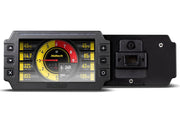
- A Haltech dash that runs NSP, such as the iC-7. Older iC-7s on the ICC software need updating to NSP first.
- A Hondata K-Pro V4 with access to its CAN header.
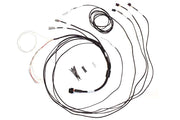
- A way to join the CAN wires. The HT-130046 CAN adaptor loom makes this tidy.
Step 1: Wire power and CAN
The dash needs a switched +12V feed and a good ground. Then connect CAN High to CAN High and CAN Low to CAN Low between the dash and the ECU. On the K-Pro, the CAN pins are on the circuit board, on a 10-pin header that's normally fitted with a flying lead plug.
The HT-130046 loom has a DTM-4 receptacle that plugs into the CAN cable supplied with the Haltech dash. Its white wire is CAN High and its blue wire is CAN Low, which you join to the K-Pro's lead. It also carries a red wire for switched +12V and a black wire for ground to power the dash. If you're building a standalone dash loom, the semi-terminated iC-7 harness is another option.
Step 2: Turn on CAN output in KManager
Connect to the K-Pro in Hondata's KManager software and go to Parameters > Multiplexed / Digital Output. Set the CAN output type to the 1 Mbps Hondata protocol, which the software lists as Hondata Protocol (1 mbps). Upload the change to the ECU.
Step 3: Set the dash up in NSP
Connect the dash to NSP and configure it as a third-party ECU dash. Enable the CAN bus under Connections, assign the dash's port to CAN Bus Port 1, turn on the terminating resistor if the dash is at the end of the bus, then choose the Hondata protocol under Third Party CAN. Our sourcing data for dashes guide walks through those screens.
What the dash will show
With both ends set up, the dash can read these K-Pro channels:
| Engine | Fuel and ignition | Cams and extras |
|---|---|---|
| Engine RPM | Ignition advance | Actual cam position |
| Vehicle speed | Injector pulse width | Target cam position |
| Throttle position | Lambda | Knock count |
| Coolant temperature | Ethanol content | Current gear |
| Intake manifold temperature | Manifold absolute pressure | Battery voltage |
If the dash shows nothing
- Confirm the KManager change was actually saved to the ECU, not just changed on screen.
- Check CAN High and Low aren't swapped.
- Make sure the bus is terminated at both ends, and only there.
Using another ECU brand? See our guides for Link, MaxxECU and FuelTech.