What you need
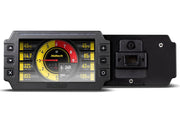
- A Haltech display dash running NSP, such as the iC-7 or iC-7 OBD-II.
- A FuelTech FT-Series ECU and a laptop with FT Manager.
- Access to the FuelTech's CAN B port.
Step 1: set the dash up for a third-party ECU
In NSP, the dash has to be told it's listening to a FuelTech rather than a Haltech ECU. Follow the third-party ECU CAN section of our sourcing data for dashes in NSP guide, configuring the dash to communicate with a FuelTech FT-Series ECU.
Step 2: wire power and CAN
- Give the dash a switched +12V feed and a good ground.
- Connect the dash's CAN High to the FuelTech's CAN B High, and CAN Low to CAN B Low. Twist the pair if you're making your own wires.
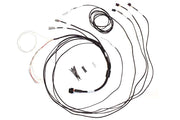
The easy way is the HT-130046 CAN adaptor loom. Its white (CAN High) and blue (CAN Low) wires are pinned straight into the CAN B positions on the FuelTech's connector, and its red and black flying leads supply switched +12V and ground to the dash. We also stock a DTM-4 to DTM-2 loom listed for FuelTech; ask us which one suits your harness. If you're building a standalone dash install, the semi-terminated iC-7 harness is a tidy starting point.
Step 3: turn on the data stream in FT Manager
- Connect to the FuelTech ECU in FT Manager.
- Open Sensors and Calibrations, then CAN communication.
- Leave the settings at default, except one: enable Send fixed data packet.
Until Send fixed data packet is turned on, the FuelTech doesn't transmit its Simplified CAN data, so the dash has nothing to display. If the wiring checks out but every gauge is blank, this is the first place we look.
Troubleshooting
| Symptom | Usually |
|---|---|
| Dash powers up but shows no engine data | Send fixed data packet disabled, or dash not set to the FuelTech protocol |
| Still no data | CAN High and Low swapped, or wired to a port other than CAN B |
| Some channels missing | The dash only shows what's in FuelTech's Simplified CAN stream; check the channel mapping in NSP |
Need the FT Manager settings screen or the CAN address list for reference? Ask us and we'll send it over with advice for your build. Running a different ECU? See our guides for Link G4 and MaxxECU.