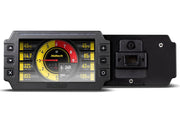
What you're setting up
The dash doesn't need to know much about the engine. It just listens to the data the ECU broadcasts on the CAN bus and shows it. So there are two jobs: tell the Haltech dash to expect a Link ECU, and tell the Link ECU to send the right stream out of the right CAN port.
1. Set up the dash in NSP
If your dash runs NSP (or has been updated to it), configure it for a third-party ECU first. Our article on sourcing data for dashes in NSP walks through the third-party ECU CAN setup. Choose the Link option there so the dash knows how to decode the messages it will receive.
2. Wire it up
The dash needs three things: switched 12V, a good ground, and its CAN High and CAN Low joined to the Link ECU's CAN High and CAN Low. Twist the CAN pair if you're making your own run, and keep it away from ignition leads.
Haltech makes two adapter looms that plug straight into Link ECUs, each with red (switched 12V) and black (ground) flying leads for power:
- HT-130047: for wire-in Link and VIPEC ECUs with the external 6-pin "M5" comms port next to the USB port.
- HT-130048: for plug-in Link ECUs with the internal 5-pin JST CAN header on the circuit board.
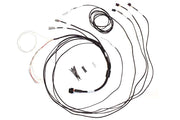
If you're building an IC-7 install from scratch, the semi-terminated IC-7 harness gives you a tidy starting point.
3. Configure CAN in PCLink
- Connect to the Link ECU and go online in PCLink.
- Open the ECU Controls menu and choose CAN Setup.
- On the Mode tab, pick the CAN module the dash is wired to. On most installs that's CAN 1.
- Set the module's mode, bit rate and stream so they match what the Haltech dash expects from a Link ECU.
- Click Apply, then OK.
- Save it permanently with Store to ECU from the ECU Controls menu, or press Ctrl+S.
A classic "it worked yesterday" problem is a CAN setup that was applied but never stored. Power-cycle the ECU afterward to prove the settings stick.
Need the exact CAN setup values for your dash and firmware? Ask us and we'll send them over with advice for your build.
If the dash shows nothing
- Check the dash has power and ground with the key on.
- Make sure CAN High and Low aren't swapped.
- Confirm you picked the CAN module the dash is actually wired to.
- Check the bus has proper termination, and that the settings were stored to the ECU.
To see which channels a Haltech dash can show, see supported CAN and OBD2 channels. Running a different ECU? We also cover MaxxECU and MoTeC.