What you're setting up
The Haltech dash and the MaxxECU talk over CAN. The job has three parts: wire the two together, tell the MaxxECU which CAN bus to broadcast on, and tell the dash to listen for a MaxxECU. Do the dash side first if your dash runs NSP.
1. Dash setup in NSP
If your dash uses NSP software, or has been updated to it, configure it for a third-party ECU and choose MaxxECU as the source. The "Third-party ECU CAN" part of sourcing data for dashes in NSP walks through the same process for another ECU, and the steps carry over.
2. Wiring
- Give the dash a proper switched +12 V and ground.
- Connect the dash's CAN High and CAN Low to CAN High and CAN Low on the MaxxECU. On the MaxxECU these are in the Superseal connector.
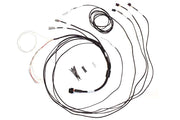
If you'd rather not splice, the HT-130046 CAN adaptor loom is an option. It has a DTM-4 receptacle that plugs into the CAN cable supplied with your Haltech dash. At the other end, the white (CAN High) and blue (CAN Low) wires go into the MaxxECU connector, and red and black flying leads supply switched +12 V and ground.
Most CAN problems are CAN High and CAN Low swapped, or a missing terminating resistor on the bus. Check both before changing any settings.
3. MTune settings
- Connect to the MaxxECU in MTune and open ECU Tuning > CAN Bus > CAN settings.
- For the bus the dash is wired to (CAN 1 or CAN 2), choose Protocol CAN Bus.
- Set the bitrate to 500Kbit.
- Save.
Power everything up and check that live data such as RPM and coolant temperature is moving on the dash. If you want reference screenshots for these steps, ask us and we'll send them over.
Which dash?
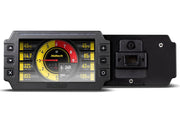
Examples of Haltech display dashes include the IC-7 color display dash and the IC-7 OBD-II version. For a standalone install, the semi-terminated IC-7 harness saves time.
Troubleshooting
| Symptom | Usually |
|---|---|
| Dash powers up but shows no data | Wrong CAN bus selected in MTune, or CAN High and Low reversed |
| Data flickers or drops out | Bitrate mismatch, or a bus without correct termination |
| Some channels missing | The dash isn't set to MaxxECU as its data source in NSP |
Using a different ECU? We also cover the Link, FuelTech and MoTeC setups.