Switch vs sensor
An oil pressure switch only has two states. With the engine running and pressure built up, it changes state and the warning goes out. If pressure falls below its trip point, it flips back and the ECU knows something is wrong. It's fast and cheap, but it can't tell you how much pressure you have.
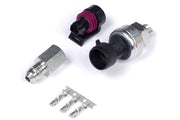
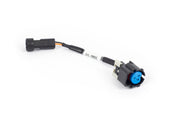
An oil pressure sensor gives a variable voltage that the ECU turns into an actual pressure reading, which lets you log it and set RPM-based limits. If you're building a serious engine, we'd fit a sensor such as the 150 psi TI pressure sensor (or the 250 psi version) and see oil pressure sensor. On a Gen IV LS with a Nexus Rebel harness, the Rebel LS oil pressure sensor adaptor makes fitting a sensor plug-in. A switch is still a worthwhile backup, or the only option on engines that only have a switch port.
Wiring the input
In the Oil Pressure Switch wiring node, pick the input and its mode: Digital Switched, or a CAN input if your vehicle CAN setup provides one. Most switches go to a spare AVI or SPI.
| Input type | How to set it up |
|---|---|
| Analog (AVI) | Set the on and off voltages so the ECU reads the switch state correctly. For a single-wire switch, turn the pull-up on. Find the right voltages by watching the input with the engine off, then running |
| SPI | Sensor type Hall Effect (digital), pull-up on. If the switch grounds the input when it's active, use a Falling edge. If it goes open circuit when active, use Rising |
Setting up diagnostics
Enable diagnostics and the ECU raises a trouble code when the switch reports low pressure while all the conditions below are met:
- Minimum RPM: the engine speed needed before the check runs.
- Precondition: choose MAP, TPS or both as the load condition.
- Minimum MAP / Minimum TPS: the threshold for whichever precondition you picked.
- DTC Severity: how seriously the ECU treats the fault when it trips.
Set Minimum RPM above idle and cranking so a hot, low-pressure idle or a fresh start doesn't set a false code, but low enough that you're protected under real load. Choose a severity that matches what you want to happen, and confirm it works by safely simulating the low-pressure switch state at the conditions you set and checking that the code appears.
Troubleshooting
| Symptom | Usually |
|---|---|
| Switch state never changes | Pull-up off on a single-wire switch, or on/off voltages wrong |
| Warning is backwards | SPI edge set the wrong way for how the switch behaves |
| False codes at idle | Minimum RPM or load precondition set too low |
For a wider view of protection, read oil pressure and engine protection, and see related inputs like fuel pressure.