How the S2000 coolant gauge works
The AP1 Honda S2000's digital dash doesn't use a sweeping needle for coolant temperature. It has six LED segments that light one after another as the engine warms up. Each segment turns on once coolant passes a particular temperature. The Elite's S2000 Coolant Gauge function recreates that behavior, so the gauge reads correctly with the factory ECU gone.
Setting up the output
On the Wiring tab, choose the Coolant Gauge Output. This is usually a DPO (digital pulsed output) or a stepper output, wired to the dash's coolant gauge signal.
Then set Active State:
- Low (default): the output grounds its wire when the gauge output is on.
- High: the logic is inverted. The wire is grounded when the output is off, and left open when it's on.
Start with Low. If the gauge reads backward during testing, try High.
Choosing the segment temperatures
The S2000 Coolant Gauge tab has six settings, Temperature 1 through Temperature 6. Each one is the coolant temperature above which that LED lights. Segment 1 is the first to come on, segment 6 the last.
A few tips from how we set them:
- Enter them in increasing order. The gauge should fill steadily from left to right.
- Put the middle segments around your engine's normal operating temperature, so a warm engine sits in the middle of the gauge the way the factory one did.
- Save segment 6 for a genuinely hot condition. A full gauge should mean pull over.
- Check the result against the live coolant temperature reading in ESP as the engine warms.
The gauge is only as good as the coolant sensor feeding it, so make sure your coolant temperature sensor is calibrated correctly first. For real protection, back the gauge up with engine protection and your thermofan settings.
Running a Nexus instead?
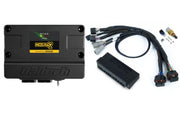
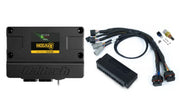
The Nexus ECUs have the same feature, covered in our Nexus S2000 coolant gauge guide. For a plug-in install, the Nexus S2 and Nexus S3 S2000 adapter harness kits connect straight to the factory loom.
Quick troubleshooting
- No segments light: wrong output selected, or the output isn't wired to the dash.
- Gauge behaves backward: flip Active State.
- Segments light at the wrong temperatures: check the order of your six temperatures and the coolant sensor calibration.