How the S2000 gauge works
Honda gave the AP1 S2000 a digital-style coolant display: six LED segments on the dash that light up one after another as the engine warms. Each segment has a temperature where it switches on. It isn't a precise gauge. It's a quick visual of whether the engine is cold, warm or getting hot.
When you replace the factory ECU with a Haltech Nexus, the dash no longer gets its signal from Honda's computer. The Nexus has a dedicated S2000 Coolant Gauge function to drive those segments from its own coolant temperature reading.
Setting the six thresholds
The setup page has six fields, Temperature 1 through Temperature 6. Each is the coolant temperature at which that segment turns on, so segment 1 lights above Temperature 1, segment 2 above Temperature 2, and so on up the bar.
| Field | Controls | Our advice |
|---|---|---|
| Temperature 1 | First segment | Set it so the first bar confirms the engine is starting to warm |
| Temperature 2 to 4 | Middle segments | Spread these across the warm-up so you can see progress |
| Temperature 5 | Fifth segment | Around your normal operating temperature |
| Temperature 6 | Last segment | Above normal, so the full bar means "watch this" |
Keep the values in rising order. If two are equal or out of order, segments will light together or out of sequence and the gauge becomes confusing.
Checking your work
- Confirm the coolant temperature reading in NSP is correct first. The gauge can only be as good as the sensor.
- Start the car cold and watch the bars come on as it warms, comparing each against the live coolant value.
- Adjust thresholds until the display matches how you want to read it on track or on the street.
If the bar doesn't respond at all, check the output wiring covered in S2000 coolant gauge wiring.
Plug-in options
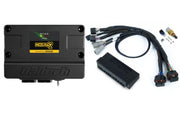
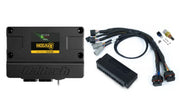
The easiest way to put a Nexus in an S2000 is a plug-in harness: the Nexus S2 S2000 adapter kit or the Nexus S3 S2000 adapter kit. For other dash and vehicle features, see vehicle functions.