What this table does
The Fuel Composition Correction table adds or removes fuel as a percentage. It isn't applied at full strength all the time. How much of it gets used depends on the output of the Fuel Composition Scalar table. If the scalar is outputting 50%, then half of whatever this table says is applied. For example, a +4% cell with the scalar at 50% adds 2% fuel. At a scalar of 0%, the table does nothing.
In Flex Fuel mode, start at zero
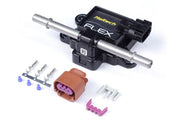
With the fuel type set to Flex Fuel, the Nexus is already working out the fuel change for the current blend on its own, using the reading from the flex fuel composition sensor. This table sits on top of that model as a trim. That's why it should be 0% everywhere when you start tuning. Only add corrections where your logs show the model isn't quite right.
Where you'll typically need a correction
It's normal to see a small correction at low RPM and light load. Ethanol blends need more fuel, so the injector pulses get longer. At idle and light cruise that can move the injectors out of their very short, non-linear pulse range and into their predictable range, which changes how accurately they deliver fuel. A small trim here cleans that up.
If you need big corrections across the whole table, don't paper over it here. Check the sensor reading, your injector data and your base fuel tune on straight gasoline first.
For the full process, see our flex fuel tuning guide and how flex fuel control works. The other fuel trims are listed under corrections.