Why the TPS matters so much
The throttle position sensor tells the ECU how far the throttle is open, from 0% closed to 100% wide open. On some setups it's the main load input for fuel and ignition. Even when it isn't, the Elite uses it for idle control, decel cut, transient throttle enrichment and many other functions. If the reading is wrong or noisy, those functions misbehave in ways that can be hard to trace back to the sensor.
A TPS is a powered sensor, usually a potentiometer, with three wires: a 5V supply from the ECU, a signal wire back to the ECU and a signal ground. As the throttle opens, the signal voltage moves smoothly from one end of its range to the other.
Wiring tab
Under Connections, choose the Throttle Position Input. It needs an analog voltage input (AVI), and the default is AVI-10. Power the sensor from the ECU's 5V supply and signal ground, not a chassis ground, to keep the reading clean. If you're working with an unknown sensor, our guide to finding the correct TPS wiring shows how to identify the pins with a meter.
Calibration tab
The ECU has to learn which voltage means fully closed and which means fully open. Recalibrate whenever you fit a new sensor, and also any time the existing sensor has been removed and refitted, since even a small change in position shifts the voltages.
There are two ways to do it.
The TPS Calibration Wizard
- Press Start and read each on-screen prompt before you act on it.
- Leave your foot off the pedal so the throttle is fully closed. The wizard records the closed voltage.
- Press the pedal to the floor, making sure the throttle plate itself is fully open (check at the throttle body, not just the pedal). The wizard records the wide open voltage.
- The wizard confirms the calibration is complete.
Manual entry
Below the wizard is a calibration graph where you can type in the 0% and 100% voltages directly. That's useful when you already know the values, or when you want to fine-tune the result so the reading sits exactly on 0% at idle.
Watch the TPS channel as you slowly press and release the pedal. It should read 0% closed, 100% fully open, and climb smoothly with no jumps or dropouts. A glitchy trace usually means a worn sensor track or a poor connection, and no calibration will fix that.
Diagnostics tab
These optional limits let the ECU spot a wiring fault. Both are disabled by default.
| Setting | What it does | Our advice |
|---|---|---|
| Raw Min | Sets code P0122 when the signal voltage drops below your limit, which points to an open circuit or short to ground | Enable it a little below your calibrated closed voltage |
| Raw Max | Sets code P0123 when the signal rises above your limit, which points to a short to 5V or a lost ground | Enable it a little above your calibrated wide open voltage |
With the Engine Protection function active, you can also assign a DTC severity to each code. Leave enough gap between the limits and your real readings that normal sensor wear doesn't set false codes.
Choosing a sensor
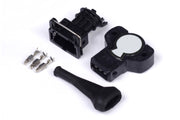
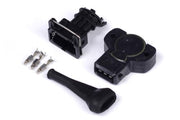
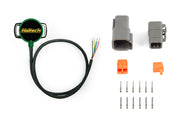
Haltech offers 8mm D-shaft sensors that fit many throttle bodies. Pick the rotation direction that matches your throttle shaft:
- Grey TPS, clockwise rotation
- Black TPS, counterclockwise rotation
- Contactless dual channel TPS, which has no wiper track to wear out
Troubleshooting
| Symptom | Usually |
|---|---|
| Reads a few percent at closed throttle | Sensor moved or was never calibrated. Rerun the calibration. |
| Never reaches 100% | Throttle not fully opening, or the wide open step captured before the pedal was floored |
| Reading jumps or spikes | Worn sensor, poor connector, or signal ground shared with noisy circuits |
| Reading goes down as the throttle opens | Wrong rotation sensor, or supply and ground swapped |
| P0122 or P0123 set | Open or shorted wiring, or limits set inside the normal range |
Running drive by wire? The ECU handles throttle calibration differently, so see drive by wire on the Elite. For background on the input itself, see the TPS input wiring guide.