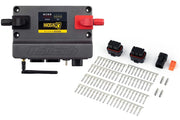
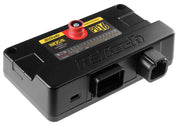
Switched or duty cycle?
Each of the four fans gets its own mode. Which one you use depends on the hardware between the ECU and the fan motor:
- Digital - Switched: the ECU turns an output on or off, normally through a relay. Simple and reliable.
- CAN - Switched: the same on/off logic, but the command goes out over CAN to a device such as a power distribution module.
- Digital - Duty Cycle: the ECU sends a PWM signal to a fan speed controller, so fan speed can rise gradually with temperature. This is quieter, kinder to the electrical system and holds temperature more steadily.
For wiring the output, see Thermo Fan wiring. Duty cycle fans also use the thermo fan duty cycle table.
NSP ships its default temperatures in Celsius. If you work in Fahrenheit, change your display units before setting thresholds so you don't mix them up.
General settings
| Setting | Applies to | What it does | Our advice |
|---|---|---|---|
| Trigger Source | All modes | Which temperature sensor drives this fan. It also creates a fan source channel | Use that source channel as the axis of the duty cycle table |
| Frequency | Duty Cycle | PWM frequency sent to the controller | Match the controller. Most want somewhere in the 200 to 500 Hz range |
| Enable Above | Switched | Fan turns on above this temperature | Must be higher than Disable Below |
| Disable Below | Switched | Fan turns off below this temperature | Leave a real gap so the fan doesn't cycle every few seconds |
| Idle Up Delay | Switched, with Idle Control on | Time the idle offsets run before the fan actually switches on (default 0.00) | A short delay lets idle rise before the load arrives |
| Idle RPM Offset | Switched, with Idle Control on | Raises the idle target while the fan runs | Small, just enough to cover the load |
| Idle Base Offset | Switched, with Idle Control on | Adds base idle output while the fan runs | Tune it so RPM barely moves when the fan kicks in |
The gap between Enable Above and Disable Below is called hysteresis, and it matters more than people think. With the two numbers too close together, the fan clicks on, drops the temperature a degree, clicks off, and repeats. That's hard on relays and makes the idle hunt. If you're running two switched fans, stagger them so the second only comes on if the first can't keep up.
Additional enable conditions
Override switch
Override Switch Enable lets a switch force the fan regardless of temperature. It's great for cooling down after a dyno pull or a track session. On duty cycle fans, Override Duty Cycle sets how hard the fan runs while the switch is on.
Air conditioning
Enable with A/C is available once the air conditioner function is enabled. The fan then helps cool the condenser whenever the A/C output is on. Switched fans simply turn on with the A/C. Duty cycle fans run at least at the Minimum Duty you set while the A/C is on.
Vehicle speed control
At highway speed, the air rammed through the radiator often moves more air than the fan can. Vehicle Speed Control, available when a speed sensor is set up, turns the fan off above a Disable Above speed and back on below an Enable Below speed. That saves electrical load and fan wear on long drives.
A/C pressure control
With an A/C pressure sensor set up, A/C Pressure Control ties the fan to refrigerant pressure instead. It turns on above an Enable Above pressure and off below a Disable Below pressure, so the fan only helps the condenser when the system is working hard.
A typical street car setup
For a street car with one PWM fan, we'd set the trigger source to coolant temperature, map the duty cycle table so the fan starts gently a little above the thermostat opening temperature and ramps up as coolant climbs, and turn on Enable with A/C with a modest minimum duty. We'd also add vehicle speed control if the car sees a lot of highway time. Then we'd confirm it in a log: in traffic the coolant temperature should level off instead of climbing.
Troubleshooting
| Symptom | Usually |
|---|---|
| Fan clicks on and off constantly | Enable Above and Disable Below too close together |
| Idle dips every time the fan starts | Idle offsets missing or too small, or no idle up delay |
| PWM fan doesn't run or only runs flat out | Frequency doesn't suit the controller, or the duty table axis isn't the fan source channel |
| Fan doesn't come on with the A/C | Air conditioner function not enabled, or Enable with A/C unticked |
| Overheats in traffic, fine on the highway | Fan turns on too late, duty too low, or the fan simply can't move enough air |
Thermo fan FAQ
Can the Nexus drive a fan motor directly?
Treat the ECU output as a signal. Use a relay for switched fans and a proper speed controller for PWM fans, since cooling fans draw far more current than an ECU output is built for.
Can I trigger a fan from something other than coolant?
Yes. The Trigger Source can be any configured temperature sensor, which is handy for an oil cooler or intercooler fan.