What this page does
The Oil Pressure Light function lets the Nexus warn the driver when oil pressure is low. The setup screen is mostly about choosing how the warning reaches the dash.
- Digital - Switched: the ECU switches a DPO to light a dedicated warning lamp you've wired in.
- CAN Output - Switched: on cars whose vehicle CAN is supported, the Nexus lights the factory oil warning over CAN, with no extra wiring.
What to check
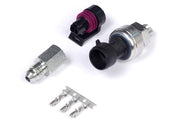
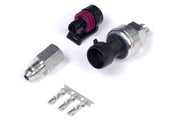
- The ECU needs a good oil pressure reading to base this on, for example from a 150 psi TI pressure sensor.
- For a lamp, confirm the DPO is free and the lamp's current is within what the output can handle.
- Test it with the engine off: the light should come on with no oil pressure.
A light is only a warning. Pair it with oil pressure engine protection so the ECU can act too.
Need this diagram? Ask us and we'll send it over with advice for your build.