Setting up Wi-Fi
Wi-Fi setup is done in NSP while connected to the ECU. The ECU has to be powered to accept the settings, but it doesn't care how: USB power on the bench or normal vehicle power both work.
- SSID: give the ECU a network name. It needs at least one character. Use something you'll recognize, like the car or customer name, especially if you work around other Haltech-equipped cars.
- Password: set a unique password of at least 8 characters. Don't reuse your home Wi-Fi password, and don't leave it as something easy to guess. Anyone who connects could change the tune.
- Click Apply to write both to the ECU.
The current Wi-Fi Status is always shown just above the Apply button, so you can confirm the change took before walking away from the USB cable.
Getting a good signal
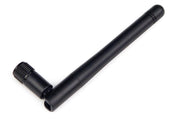
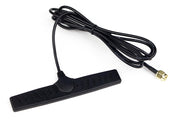
Metal bodywork blocks Wi-Fi well. If the ECU is under the dash or in a sealed box, an external antenna makes a big difference. We stock the 2.4GHz Wi-Fi antenna (HT-011400) and the glass mount version (HT-011401), which sticks to the inside of a window for better range outside the car.
Write the SSID and password down somewhere safe. You'll need them every time you connect a new laptop.
For the ECU's other connection options, see Connections and the Haltech CAN system.